

Share public status pages
Public pages expose selected monitoring information without requiring account sign-in. Their token links are access links, not heartbeat ingestion URLs.
Publish a dashboard
Section titled “Publish a dashboard”An Admin can publish a custom dashboard:
- Create a custom dashboard and add only the intended checks.
- Review names, incident updates and visibility settings.
- Edit the dashboard, enable Public and save.
- Copy the public URL shown by the app.
- Open it in a signed-out browser and inspect the actual audience experience.
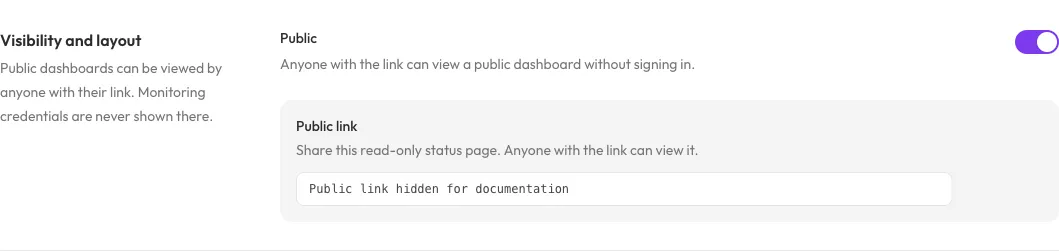
Copy the link privately from your dashboard. The demo link is hidden here; enabling Public allows anyone with that link to view the selected information.
The account’s Overview cannot be published. Public dashboard links use
/status/dashboard/<token>; public wallboards append /wallboard.
Disabling Public makes the dashboard unavailable through its public link.
Do not assume toggling sharing rotates the token.
Individual check links
Section titled “Individual check links”Individual checks have token-based status pages at /status/<token>.
Retrieve the link from the signed-in check, not by constructing it from a
check ID. A status token is not the location token used at /ping/<token>.
Audience and disclosure
Section titled “Audience and disclosure”Anyone with an accessible public link can read the visible information. A hard-to-guess link is not identity-based authorization. Do not put confidential service names or incident text on a page merely because you have not advertised its URL.
Use the signed-out view to verify exactly which details, locations, performance and incidents are shown. Automation can return already-public dashboard links but cannot enable sharing or change branding.
These features provide hosted token-link pages; do not assume customer custom-domain configuration is available from the dashboard form.