

Add incident updates
Editors and Admins can post text updates to an incident in their account.
- Open the affected check or its incident on a dashboard.
- Write a concise update describing the impact, current mitigation or next investigation step.
- Review the audience before posting.
- Post the update and confirm it appears under the intended episode.
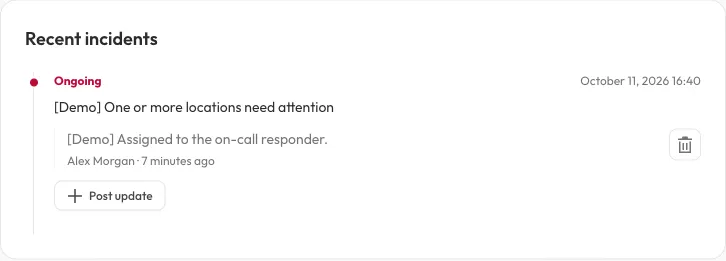
The update appears under its incident. Posting context does not resolve the incident or change the check’s monitoring status.
Dashboard-context updates must refer to a check actually on that dashboard. An update belongs to the incident; it is not an independent maintenance event.
Incident updates can appear on public views when incident display is enabled. Do not include credentials, private infrastructure details or customer data. Inspect the public view after changing visibility settings.
Posting or removing an update does not change monitoring status or manually resolve an incident. Removing a mistaken update is separate from repairing the target. Public automation reads omit free-form updates and do not offer an update-writing operation.