

Reuse recipients with rosters
A roster is a named collection of account members. It is useful when several notification groups should reach the same team.
- Open Rosters in the selected account.
- Create a uniquely named roster and add the intended account members.
- Open a notification group and attach the roster.
- Choose Always or a custom schedule for this group-to-roster assignment.
- Confirm each member’s personal delivery preferences.
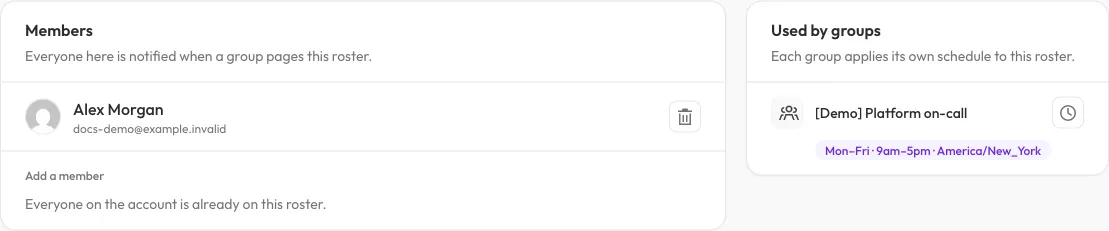
Membership belongs to the roster; the receiving group’s assignment supplies the schedule. This is not an automatic on-call rotation.
Changing a roster’s members changes recipients for groups that use it. Schedules are attached to the roster’s assignment to each group, not an automatically rotating duty order inside the roster.
For example, a Primary team roster can receive a production group at all
times and a separate reporting group only on weekdays. Adding the same user
directly does not force a second user alert; eligible users are deduplicated.
Rosters do not implement escalation chains, automatic on-call rotations or incident acknowledgement. Use explicit membership and schedules rather than assuming someone becomes the next responder after a timeout.