

Organize checks with dashboards
Overview automatically mirrors all current checks in the account. It is not an editable membership list or a public status page.
Editors and Admins can create custom dashboards:
- Create a dashboard with a unique account-local name.
- Keep it private unless an Admin intentionally enables public sharing.
- Add existing checks from this account.
- Create named groups when a service has several components.
- Move checks into groups and use ordering controls to arrange them.
- Review summary panels, needs-attention presentation and incident history.
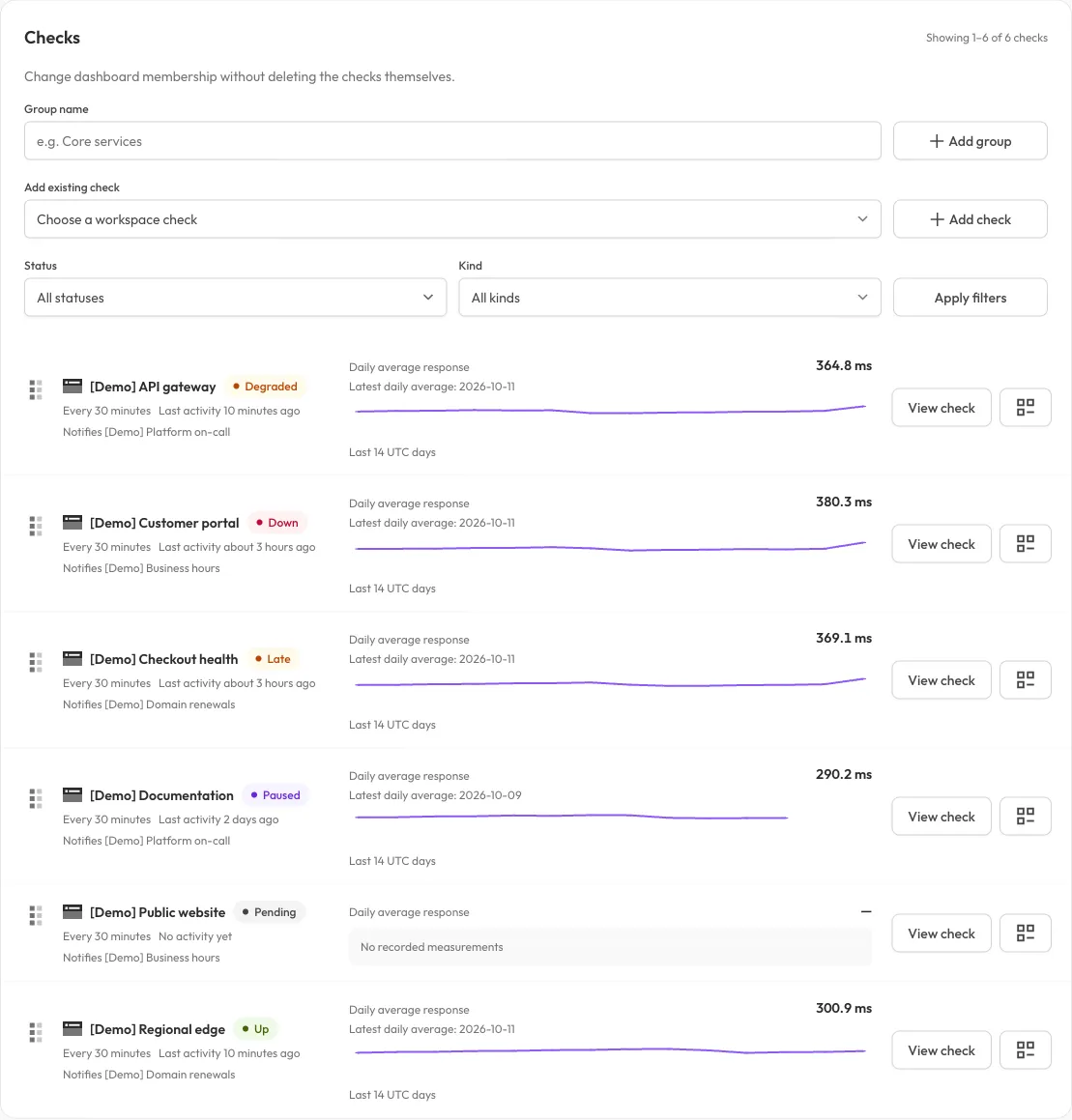
Dashboard membership controls organize existing checks. The demo illustrates several health states; its seeded data is not a plan-entitlement example.
A check can appear on several dashboards. Removing it from a dashboard does not delete the check or stop monitoring. Deleting a custom dashboard removes the collection, not its underlying checks.
Preferences
Section titled “Preferences”Summary panels and incident-history visibility control presentation, not the monitoring signal. The UI accepts a positive incident-history day count; the automation API limits this setting to seven or 30.
Pin a custom dashboard for navigation when you use it often. Set a landing default if it should be the account’s initial dashboard; selecting one clears the previous custom landing default. These are shared account dashboard preferences, not public publishing actions.
Use wallboards for ambient displays and public status pages for external audiences. Automation can attach checks, but update/detach/reorder operations are restricted to private custom dashboards.