

Monitor your first scheduled job
You need an Editor or Admin role and access to the job’s configuration.
- Create a check and choose Ping (heartbeat).
- Name it after the job, such as
Nightly backup. - Choose an interval or cron schedule matching the job. For cron, choose the same timezone used by the scheduler.
- Set a grace period that accommodates ordinary runtime and scheduling jitter.
- Save and open its locations. A location named
defaultis created for you. - Copy that location’s heartbeat URL into a private environment variable used by the job. Do not use the check’s public status URL.
- Send a heartbeat after successful completion:
backup-command && curl --fail --silent --show-error "$PINGSTACK_PING_URL"Set PINGSTACK_PING_URL locally to the URL copied from the app. It is an
operational credential; do not commit it or paste it into an AI conversation.
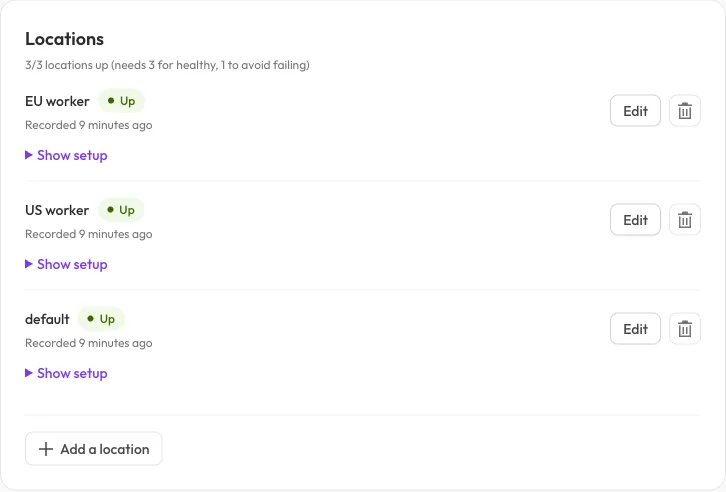
Each sender has its own location. Expand Show setup privately to copy its heartbeat URL; setup sections remain closed here so no credentials are shown.
The location becomes up and its next expected check-in is calculated from the received heartbeat. After an established location misses that deadline plus the grace period, it becomes late and contributes to the check’s quorum. A location that has never checked in remains pending rather than proving health.
Only report completion when the work actually succeeds. A heartbeat URL
returning HTTP 200 means the ingestion request was accepted, not that your
backup succeeded. Exit codes are recorded but do not themselves mark a
check down.
See heartbeat recipes and scheduling for cron and multiple senders.